Event: Conversation Time Trigger
Overview
The Conversation Time Trigger event is activated when a conversation meets a specific time-based condition. This event helps you ensure timely follow-ups by automatically notifying the right people when a conversation requires attention.
For this event, each automation rule can have only one condition, but you can configure multiple actions. When the condition is met, all configured actions will be executed automatically.
Condition
The condition defines when the automation rule should be triggered based on the conversation's state.
Conversation Unassigned
This condition checks whether the conversation has not been assigned to any agent within the defined time frame. It is useful for identifying conversations that are still awaiting agent assignment.
Conversation Unanswered
This condition checks whether the conversation has not received a reply within the defined time frame. It helps ensure customers receive timely responses.
Action
The action defines what happens when the condition is met. You can add more than one action to a rule, choosing from the two available options below.
Send Reminder to Agent(s) or Team(s)
Automatically sends a reminder notification to selected agents or teams when the time trigger condition is met. You can select more than one agent or team to receive the reminder.
Send Message
Automatically sends a predefined message to the customer when a conversation meets the configured time-based condition. This is commonly used to inform customers when response times are longer than usual and ask for their patience while waiting for assistance.
Example
Scenario
Ensure unanswered conversations are handled promptly — notify the designated agents or teams configured in the rule, and keep the customer informed while they wait.
Automation Setup
| Configuration | Value |
|---|---|
| Condition | Conversation Unanswered for 10 minutes |
| Action 1 | Send reminder to selected agents or teams |
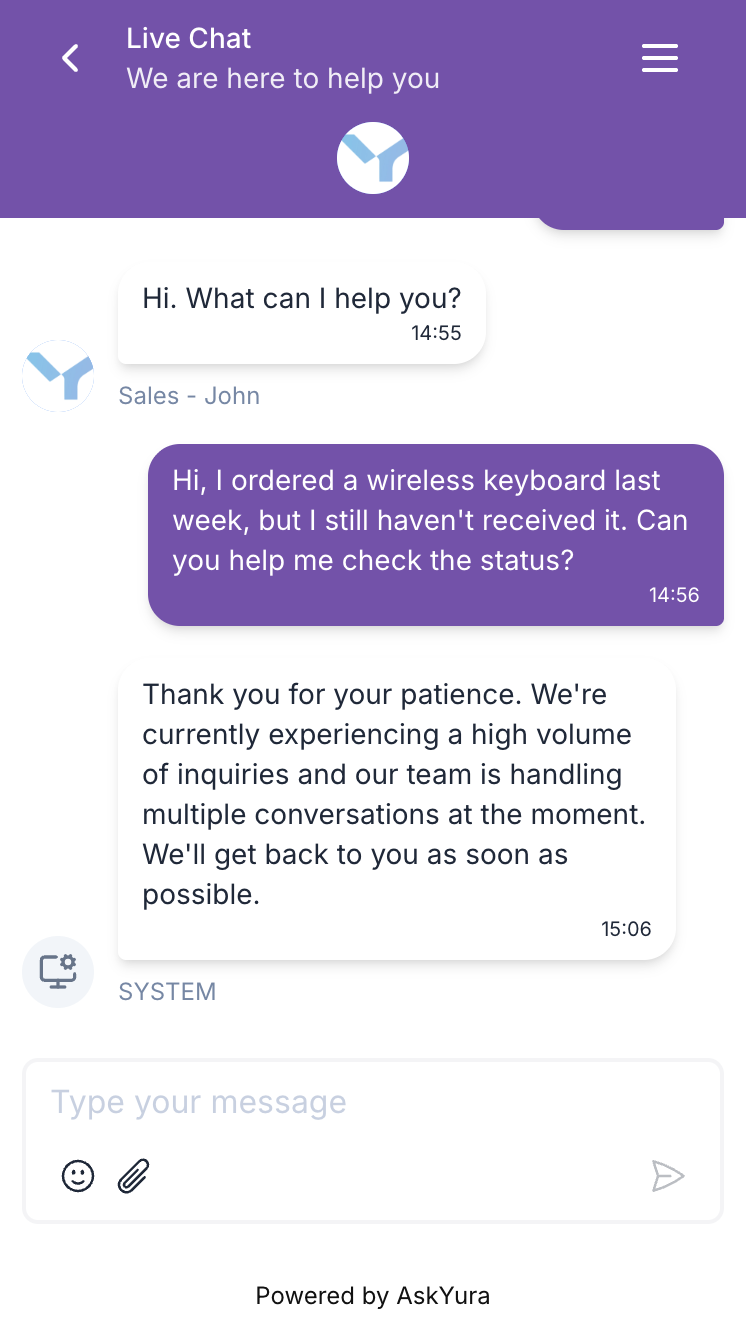
| Action 2 | Send message: "Thank you for your patience. We're currently experiencing a high volume of inquiries and our team is handling multiple conversations at the moment. We'll get back to you as soon as possible." |

Outcome
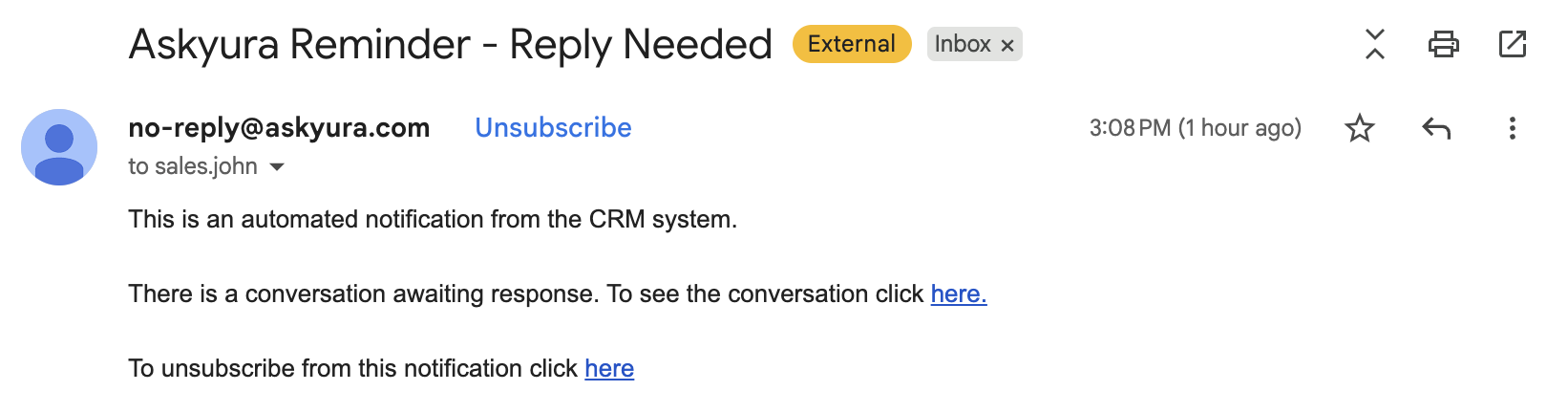
When a conversation remains unanswered for 10 minutes, two actions are triggered simultaneously — the selected agents or teams are notified via email to take action, and the customer receives an automated message acknowledging the wait.
Email reminder sent to the agent:
What the customer sees in the chat: