

Complaints
A complaints report shows complaints or issues raised by customers related to the responses of human agent or AI agent.

Customer Complaint Reports
From the customer side, complaints are submitted by selecting a complaint category and providing a description of the issue. The available complaint categories include Communication Issues, Slow Response, Wrong Information, Technical Problems, Suggestions, and Other.
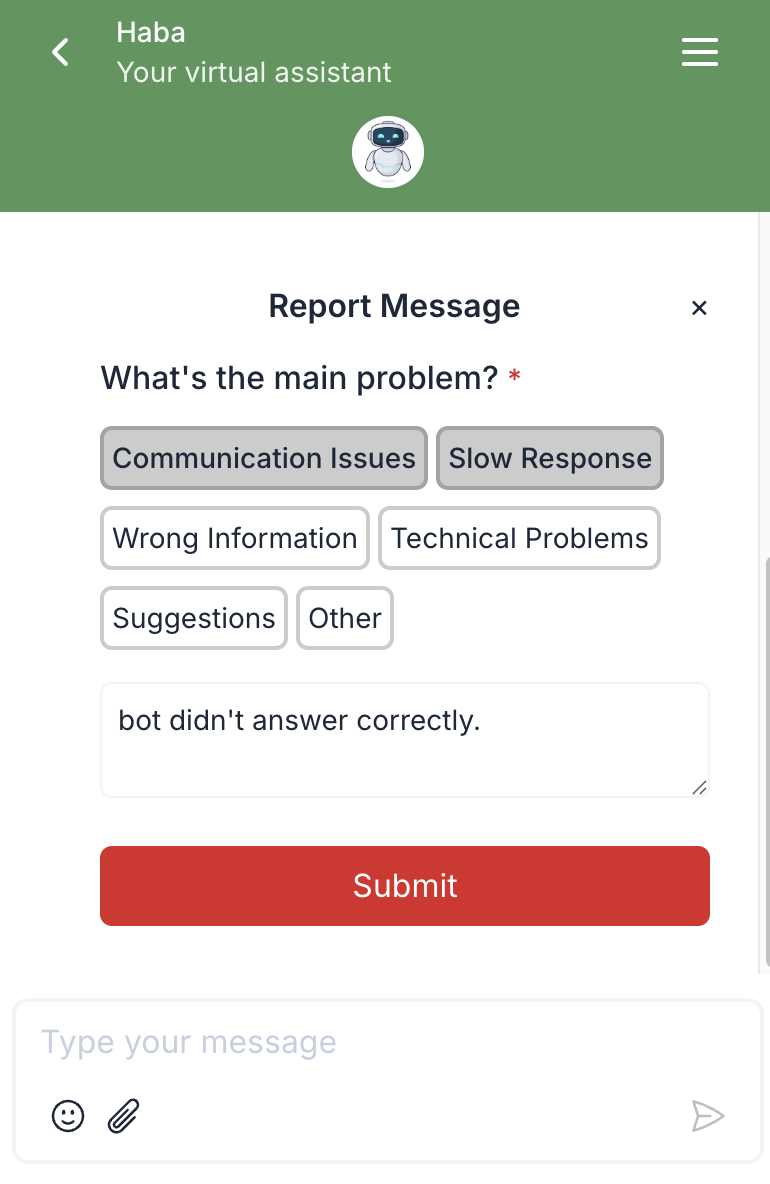
After customer submit the complaint, it will appear in the complaint overview.
Filter
You can use filters to narrow down the complaint list by Message Owner and Complaint Category. Select a specific agent under Message Owner and choose one or more complaint categories to focus on relevant reports.

Complaint Details
You can view the full details of a reported conversation by clicking on a complaint in the list. This will open a conversation detail sheet displaying the full chat history, with the reported message clearly highlighted in red to indicate the exact message flagged by the customer.

