

Embed the Askyura Widget on Your Website
This guide explains how to add the Askyura chat widget to your website so visitors can start chatting with your bot or agents right away.
But before you can do this, you must first create and configure a Live Chat (Web Widget) channel in your Askyura dashboard to generate the required widget settings and installation code.
Follow the steps below to create and configure your live chat channel.
Step 1: Go to Web Widget Settings
Option 1: Go to Settings > Web Widget.
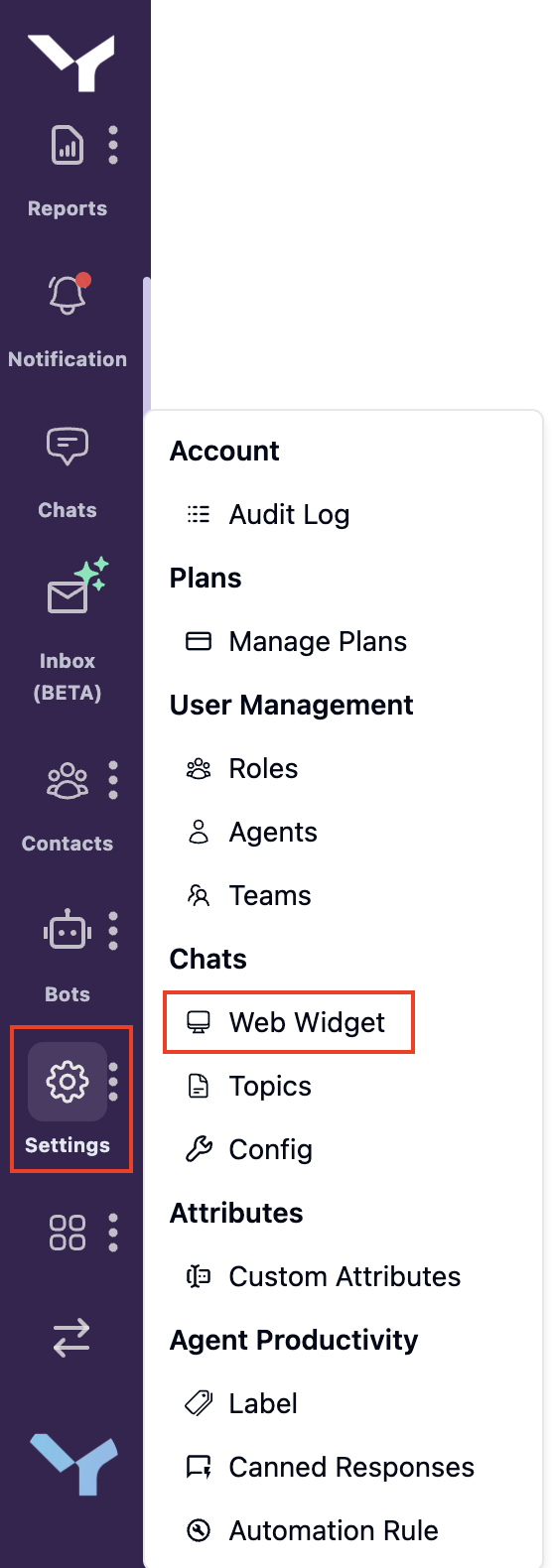
Option 2: On your dashboard homepage, click Create Widget.
Step 2: Create a New Web Widget
On the Web Widget page, click the Create New Web Widget button.

Step 3: Complete the Configuration
Fill in all required fields to set up your live chat widget. There are two main configurations you need to complete:
After completing both configurations, you will be taken to the Checkpoint tab. At this point, your widget is already usable.
Click Finish and Create Widget to complete the setup.

Step 4: Use the Live Chat Widget
Askyura provides two ways to use the Live Chat Widget: using a direct link or by embedding a snippet code on your website.
Option 1: Using the Direct Link
You can share your live chat widget on social media or other platforms using a direct link.
On the Web Widget Channel page, find the web widget channel you want to use. Click the meatballs menu (three horizontal dots) on the selected channel, then select Direct Link from the menu.
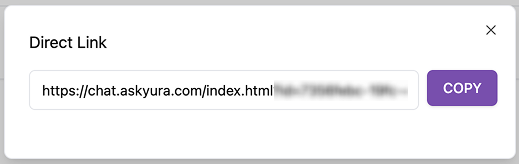
Option 2: Embedding the Snippet Code
To integrate the live chat widget directly into your website:
On the Web Widget Channel page, find the web widget channel you want to use. Click the meatballs menu (three horizontal dots) on the selected channel, then select Show Code from the menu.
Copy the code and paste it inside the <body> tag of your website's HTML.
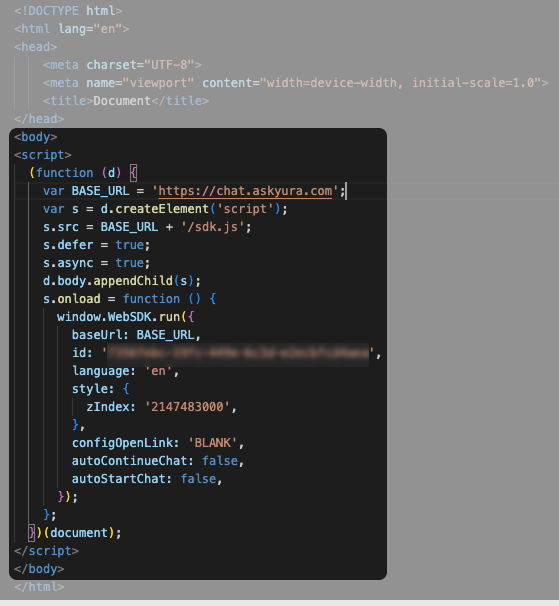
By following these steps, you can easily integrate the Askyura Live Chat widget into your website or share it using a direct link.
For more detailed information, please refer to the following documentation: Web Widget
