

Knowledge Base
The Knowledge Base is the central hub for storing information your bot can use to answer customer questions accurately. It consists of three main sections: Articles, Q&A, and Dynamic Value Overrides. Each section serves a unique purpose in shaping how your bot interacts with users.
For managing Knowledge Base articles and AI Search, see Knowledge Base.
The three tabs are the primary navigation method for managing knowledge:
- Articles – Stores detailed information your bot can reference.
- Q&A – Stores common questions with short, direct answers for quick responses.
- Dynamic Value Overrides – Allows you to define custom values for the bot to use in responses without affecting global content.

Article
Article tab allows you to organize and manage structured content used by the bot. Articles are grouped by labels, making it easier to control which information is available for specific topics.

In this tab, you can:
- Select one or more labels to associate relevant articles with the bot
- View a list of articles linked to the selected labels
- Create a new article, which will appear in a popup editor. For details how to create article you can refer to this guides.
- Attach existing articles to the bot without modifying their original content
Q&A
Q&A tab is designed to store frequently asked questions from customers. This section is suitable for handling basic or repetitive questions that require direct and consistent answers.

In this tab, you can:
- Maintain a curated list of common customer questions
- Provide answers for faster and more accurate bot responses
- Reduce repetitive workload by covering commonly asked questions
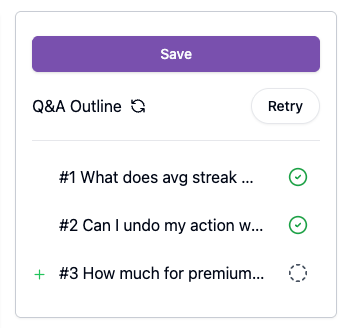
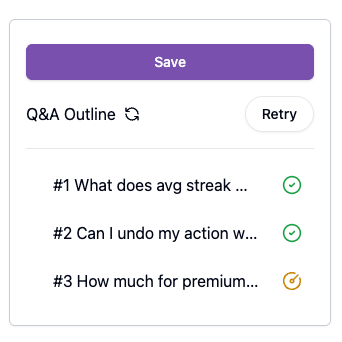
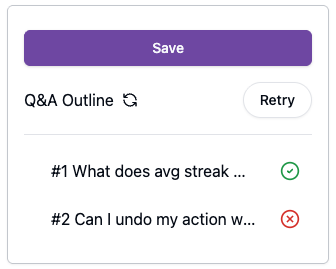
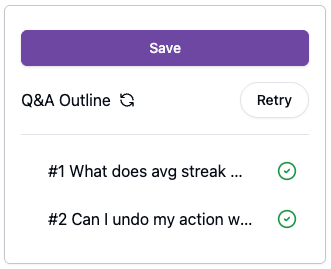
When you add a Q&A, you can see the bot's progress in saving your data.
- Gray icon: Your Q&A is in draft.
- Yellow icon: The bot is saving your Q&A.
- Red icon: The bot failed to process your Q&A.
- Green icon: The bot successfully saved your Q&A.
Dynamic Value Override
Dynamic Value tab allows you to override existing dynamic values specifically for the bot. This enables you to use customized values without changing the original dynamic values used elsewhere.

In this tab, you can:
- Apply specific dynamic values for bot
- Customize responses without affecting shared configurations
- Maintain flexibility while keeping global settings
