

Contact & Conversation Information
Every conversation has two tabs as the customer information: Tab Contact and Tab Conversation. Together, these tabs provide a full view of the customer and the ongoing interaction.
- Tab Contact: Displays details about the customer's profile and persistent attributes.
- Tab Conversation: Displays details specific to the current conversation, including context, attributes, and session information.
Below, each tab is explained in detail to help agents understand the information they contain and how to use it effectively.
Tab Contact
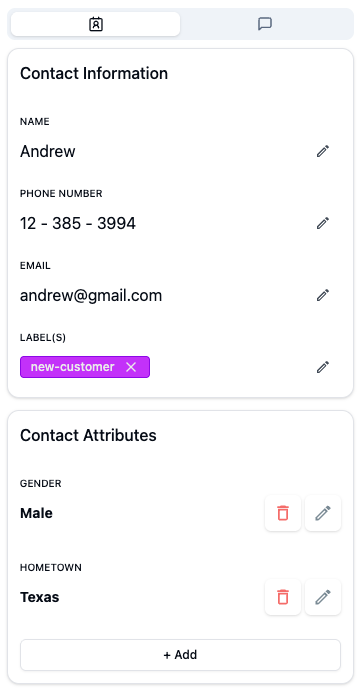
The Contact tab provides a complete overview of the customer's profile. This tab is divided into two key sections: Contact Information and Contact Attributes. In this tab, you can quickly review who the customer is and see any additional attributes that enrich their profile.
Contact Information
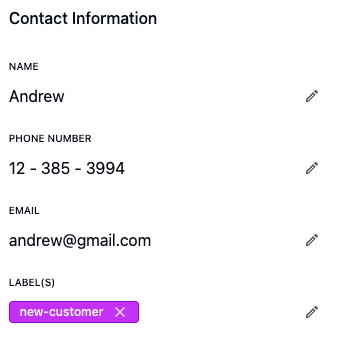
Every incoming customer chat will automatically create a new contact. Contact information can be pre-filled if you've set up a pre-chat form in the web widget, but you can still edit it.
Every incoming chat automatically creates a new contact. If a pre-chat form is enabled on your web widget, some fields may be pre-filled. Agents can also edit or update contact details as needed.
Key points:
- Displays basic details such as name, email, and phone number.
- Shows Contact Labels assigned to the customer, which help categorize contacts for segmentation, filtering.
- Pre-filled data from the web widget accelerates conversation handling.
- Agents can update or add information at any time.
Contact Attributes
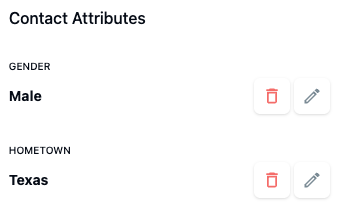
Contact Attributes enrich the customer profile with persistent information that is useful for personalization and analytics. Examples include:
- Gender
- Hometown
- Subscription or account status
These attributes help agents provide tailored support and give context for future interactions.
Tab Conversation
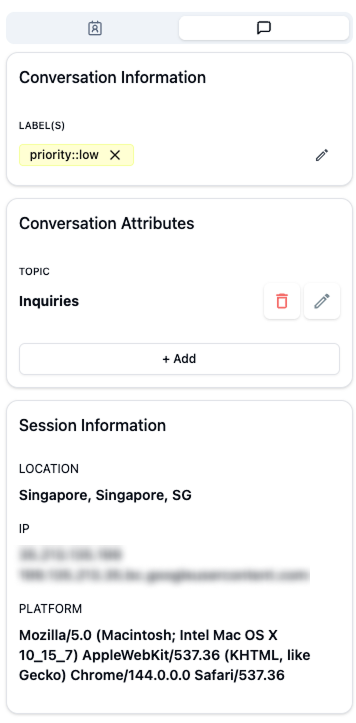
The Conversation tab focuses on the current interaction. It contains three main sections: Conversation Information, Conversation Attributes, and Session Information. In this tab, you can review the conversation context, track relevant details, and see session-specific information to provide accurate and timely support.
Conversation Information
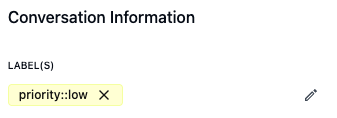
This section shows conversation labels, which help categorize and track conversations for easier filtering, reporting, and automation.
Key points:
- View labels assigned to the conversation (e.g.,
priority::low,priority::high,refund request). - Labels help agents quickly identify the type or priority of a conversation.
- Labels can be added manually or automatically based on rules.
Conversation Attributes
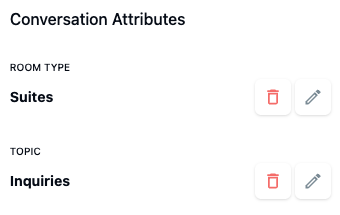
Conversation Attributes capture dynamic data specific to this interaction. They are useful for tracking details such as:
- Reason for the inquiry
- Product or service of interest
- Custom form data collected during the chat
Since each conversation may serve a unique purpose, these attributes can vary from session to session.
Session Information
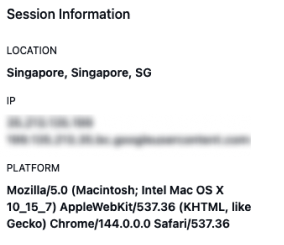
Session Information provides geographic and technical details about the customer's session, giving agents insight into the context of the interaction.
Key points:
- Geographic location (country, city, region)
- Device and browser information
- Helps tailor support and understand regional trends
