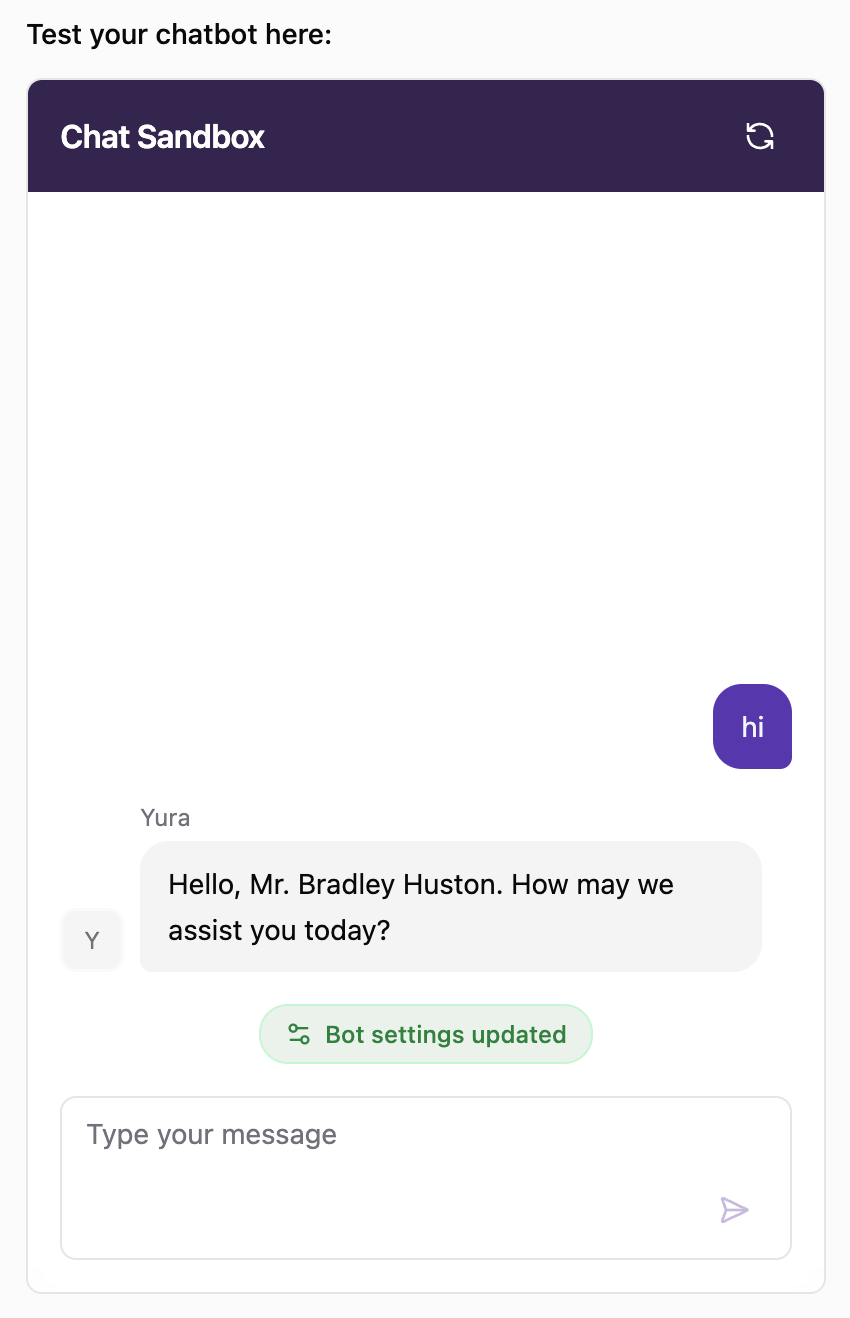
Chat Sandbox
The Chat Sandbox lets you test your bot before it talks to real customers. It sits on the right side of the Bot Details page, right next to the configuration, so you can update the bot and test it side by side in real time.
This makes it easy to adjust the bot, see how it responds, and refine it until you're confident it's ready to handle your customers.
Test Your Bot
Type a message in the Type your message field and send it. The bot will reply just as it would to a customer, using its current knowledge, persona style, and plugins.
To start a new test conversation, click the refresh icon at the top right of the sandbox.
See When Settings Are Updated
Whenever the bot's configuration is updated, the sandbox shows a Bot settings updated notice in the conversation. This happens both when you click Save changes after editing the settings manually and when Fill with AI updates the bot.
Messages you send after the notice are answered with the updated settings, so you can test each change right away.