

3rd Party Integration
The 3rd Party Apps page lets you connect external tools and applications directly into AskYura. By integrating third-party services, you can bring more context to your teams and manage workflows from a single platform — without switching between multiple tabs or logging into separate systems.
📂 Understanding the 3rd Party App Tabs
In the CRM's 3rd Party App section, there are two main tabs: Yours and Marketplace.
🔧 Yours
- This tab lists apps that have been created specifically in the current workspace.
- These apps are not shared across workspaces and are available only for internal use.
- Useful for testing or developing custom integrations before sharing with others.
- If the author decides to publish the app, it will then appear in the Marketplace tab, making it available to other workspaces.
Note: Publishing does not move the app out of "Yours"; it simply makes it visible to others in the "Marketplace".
🛍️ Marketplace
- Displays all published 3rd party apps that are available CRM-wide.
- These apps can be installed in any workspace.
- Apps listed here have been shared publicly by their creators.
- Useful for discovering ready-to-use apps that enhance CRM features or workflows.
How to Install an App from the Marketplace
To integrate a third-party app into AskYura:
- Navigate to 3rd Party Apps from the left sidebar.
- Select the Marketplace tab.
- Search for the app you want to integrate (e.g., CRM tools, internal systems, or communication platforms).
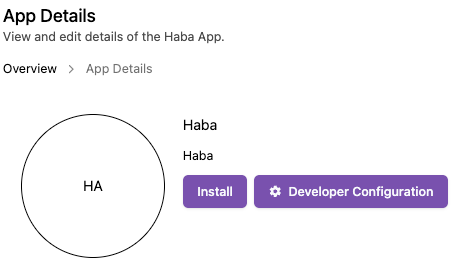
- Click on the app to open its details page.
- Click Install.
- Review the requested permissions and click Allow to authorize the connection.
- The app is now integrated and ready to use from within AskYura.
Creating a Custom App
If the Marketplace does not yet include the integration you need, you can create your own. Click the Create New App button on the 3rd Party Apps page to get started. Custom apps allow you to define how external services interact with your AskYura workspace.
For the full step-by-step setup, follow the guide on the Developer Docs:
App Setup in the CRM Dashboard
Create your app, get its credentials, and configure redirect URLs, permission scopes, app actions, webhooks, and publishing.
Available App Guides
Some apps in the Marketplace require additional configuration to connect properly. Follow the dedicated guide below for step-by-step setup instructions:
- Telegram — Connect your Telegram bot as a customer chat channel, so the bot you've created in AskYura can act as the front-liner for conversations coming from Telegram.
