

Manage Plans
The Manage Plans page lets you view your workspace's current subscription, monitor daily AI usage, and upgrade to a plan that better fits your needs.
Only users with the Manage Plans permission on their role can access this page. If you don't see this menu, ask an Admin to grant you this permission from Settings → Roles.
Accessing Manage Plans
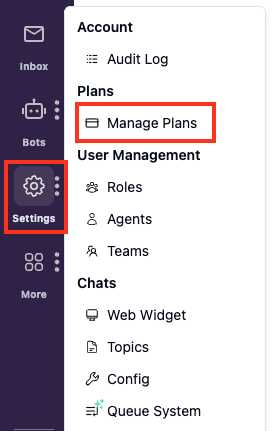
Navigate to Settings → Manage Plans from the sidebar.
Billing Overview
The Manage Plans page shows two sections: your subscription details and your daily AI usage.
Manage Your Subscription
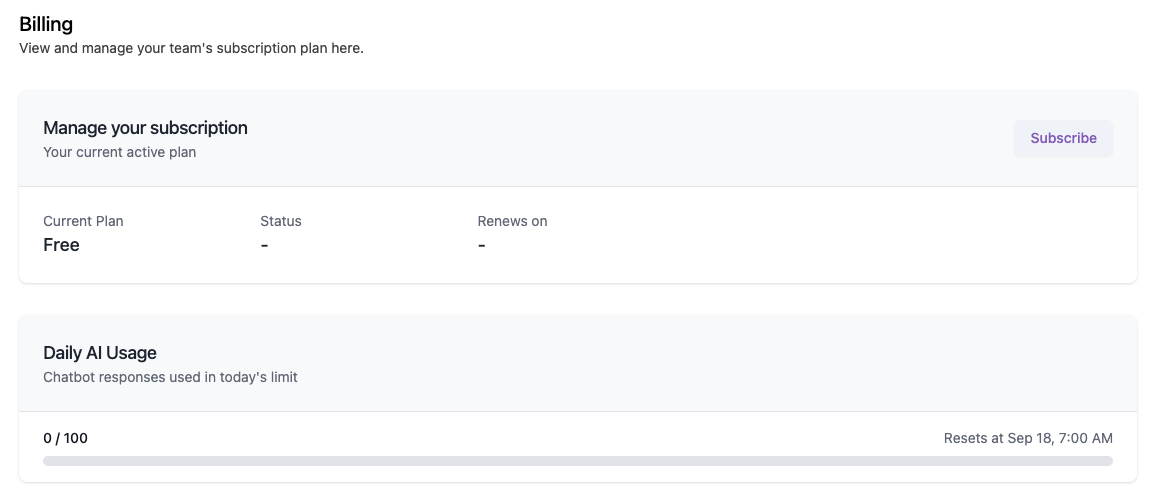
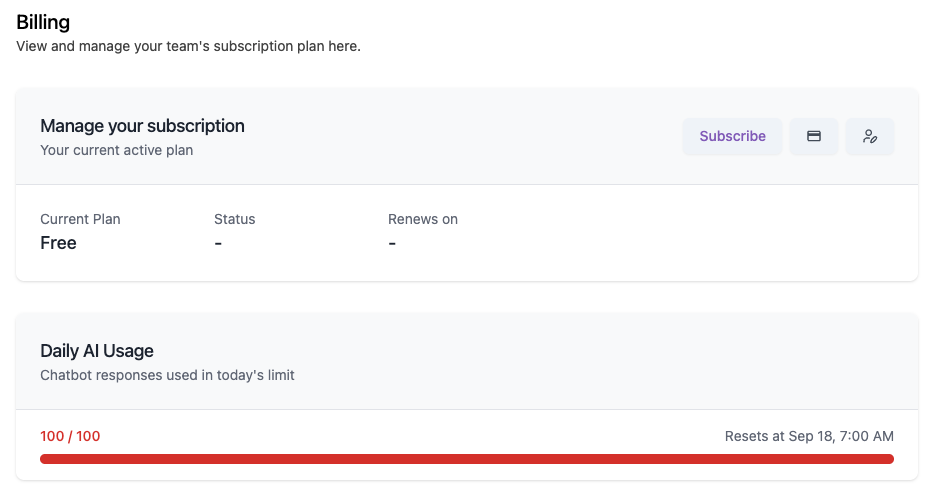
This section shows your workspace's current active plan:
| Field | Description |
|---|---|
| Current Plan | The name of the plan your workspace is currently subscribed to |
| Status | The status of your subscription (e.g., active). Shows - on the Free plan |
| Renews on | The date your subscription will next renew. Shows - on the Free plan |
On the Free plan, click Subscribe to choose a paid plan. See Subscribing to a Plan below.
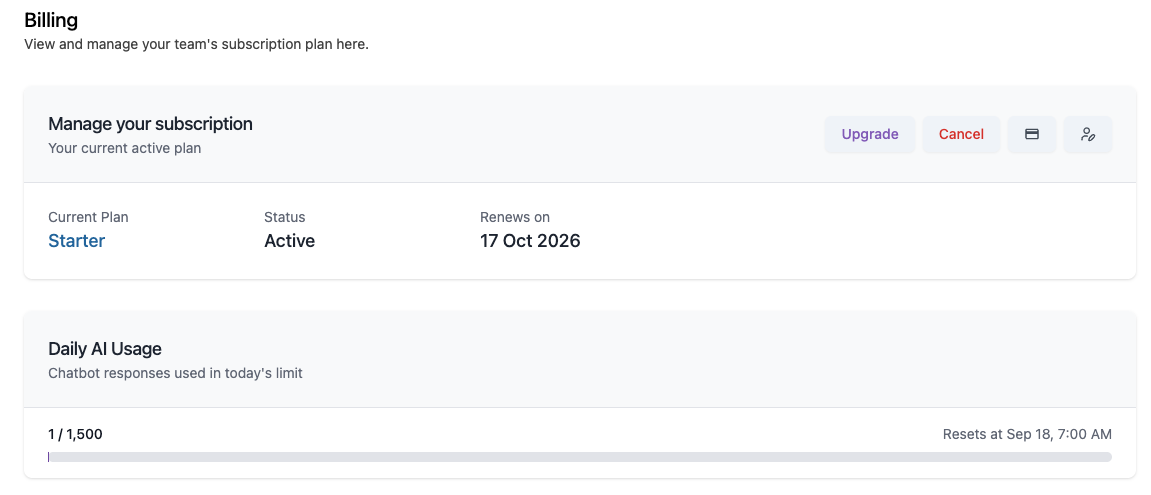
Once you're on a paid plan, this toolbar changes to four actions:
| Action | Description |
|---|---|
| Upgrade | Switch to a higher plan |
| Cancel | Cancel your subscription. See Cancelling Your Plan below |
| Payment Details (card icon) | Manage your payment details |
| Billing Contact Email (person icon) | Update the email address that receives billing communications |
The Payment Details and Billing Contact Email icons are shown even on the Free plan, but they are inactive since the Free plan has no billing to manage.
Daily AI Usage
This section tracks how many chatbot responses your workspace has used against your plan's daily limit, and shows when the usage counter resets.
The usage counter resets every day, not monthly. Once the reset time shown on the page passes, your usage count returns to 0 regardless of your billing cycle. The reset always happens at 00:00 UTC. The time shown on the page is that same moment converted to your local time, which is why it may not display as midnight.
Each AI-generated response counts as 1 AI credit. For example, if the AI chatbot replies to a customer 3 times in a conversation, that counts as 3 AI credits.
Subscribing to a Plan
-
From the Manage Plans page, click Subscribe.
-
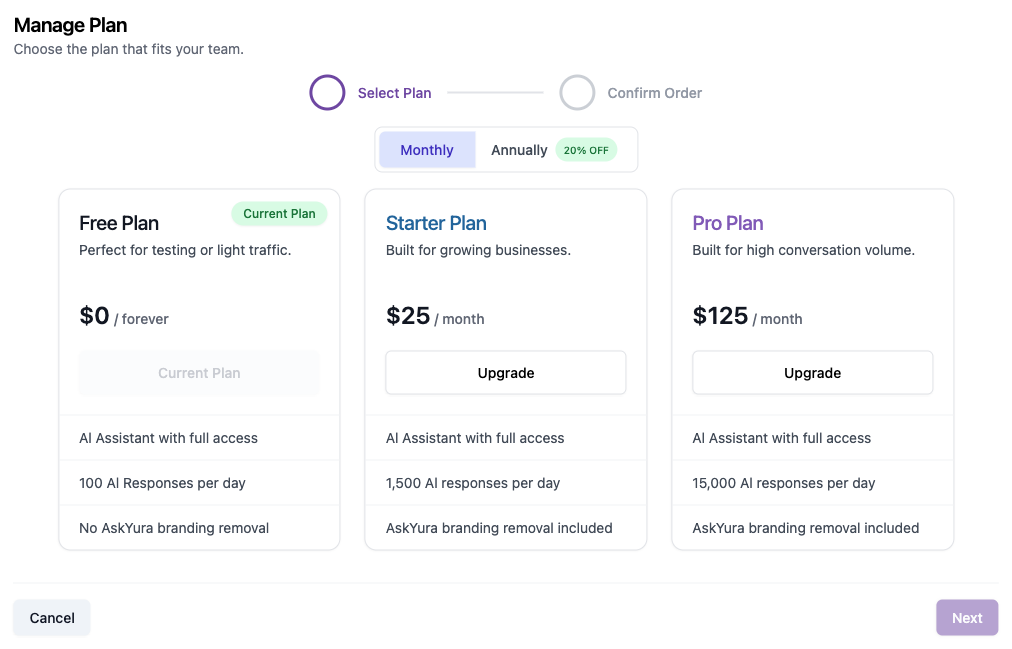
On the Select Plan step, choose a billing cycle, Monthly or Annually (save 20% with annual billing).
-
Compare the available plans:
Plan Price AI Responses / Day Branding Free $0 / forever 100 AskYura branding shown Starter $25 / month 1,500 AskYura branding removal included Pro $125 / month 15,000 AskYura branding removal included -
Click Upgrade on the plan you want to switch to.
-
Click Next to proceed to the Confirm Order step, review your order, and complete the checkout.
Your current plan is marked with a Current Plan badge, and its button shows Current Plan instead of Upgrade.
Changing your plan updates billing for your entire workspace. Review the plan details carefully before confirming your order.
Cancelling Your Plan
If you no longer need your current paid plan, click Cancel from the Manage your subscription section.
Cancelling stops future billing, but it does not end your subscription immediately. You keep your current plan's benefits (including its daily AI usage limit) until the end of your current billing period, shown as your Renews on date. Once that period ends, your workspace automatically reverts to the Free plan.
Viewing AI Usage from the Chats Page
Users with the Manage Plans permission can also check daily AI usage directly from the Chats page, without opening Settings.
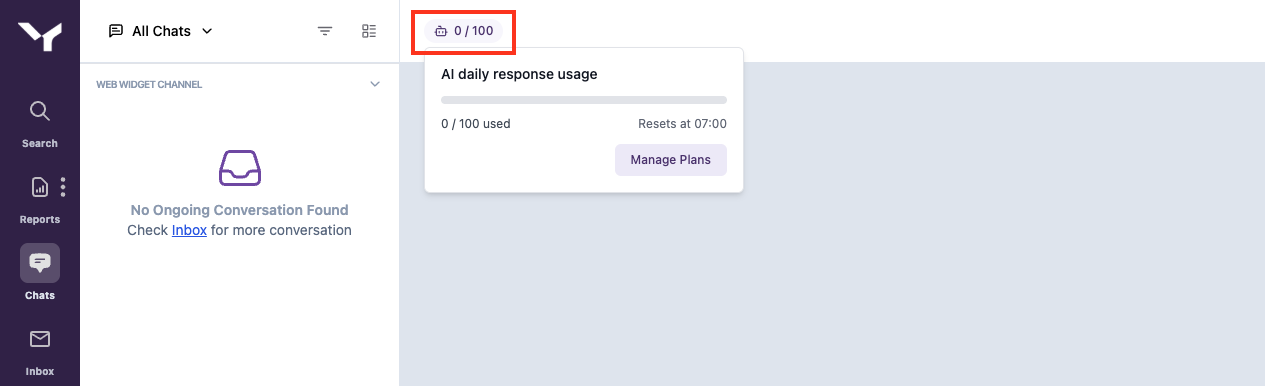
Click the usage badge at the top of the Chats page to open the AI daily response usage popover, which shows your current usage, the reset time, and a Manage Plans button that takes you directly to the Manage Plans page.
When the Daily AI Usage Limit is Reached
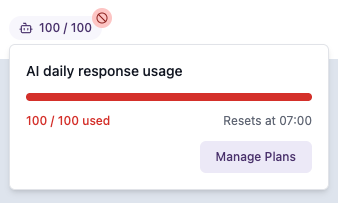
Once your workspace reaches its daily limit, the usage badge on the Chats page turns red with a blocked icon, and the popover shows the usage count and progress bar in red as well.
The same red usage count is also reflected on the Manage Plans page.
This applies to every conversation, both ones the AI bot is already handling and new conversations that come in after the limit is reached. In either case, the bot will no longer be able to respond. A system message informs you that the bot couldn't respond because of insufficient AI credits, followed by a banner stating "This workspace has reached its daily AI usage limit" along with the reset time.
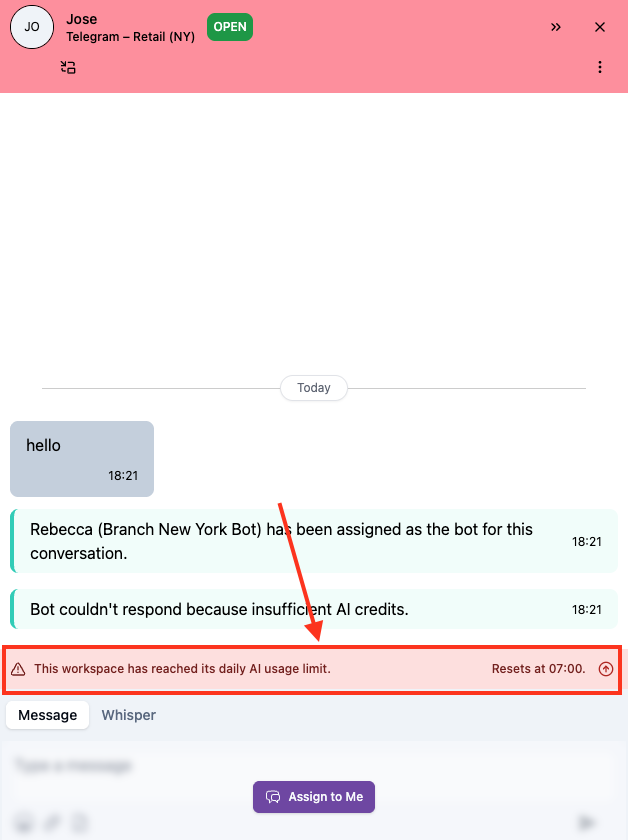
When the bot can no longer respond, it automatically notifies human agents so a human agent can take over the conversation, for example by clicking Assign to Me.
This behavior is the same on every plan: Free, Starter, and Pro all hard-stop once their respective daily limit is reached; only the size of the limit differs.
To restore AI responses immediately instead of waiting for the daily reset, upgrade to a higher plan; the new limit applies right away. See Subscribing to a Plan above.
