

Customize Sidebar Navigation
Overview
In the Askyura dashboard, the sidebar is your main navigation area. In this guide, the "sidebar" refers to the navigation bar located on the left side of your dashboard.

To help you work more efficiently, you can customize it based on your preferences.
This feature allows you to control which menus appear in your sidebar, how they are ordered, and where less frequently used menus are placed. It helps you prioritize the tools you use most while keeping your workspace clean and organized.
Accessing Sidebar Settings
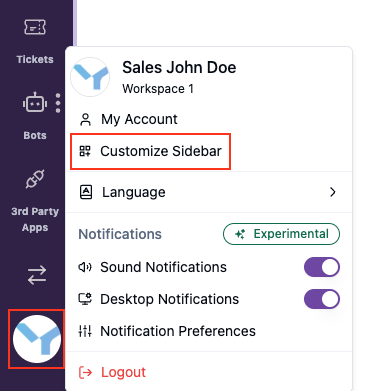
To customize your sidebar, go to your user avatar located in the bottom-left corner of the Askyura dashboard, then select Customize Sidebar.
Customization Options
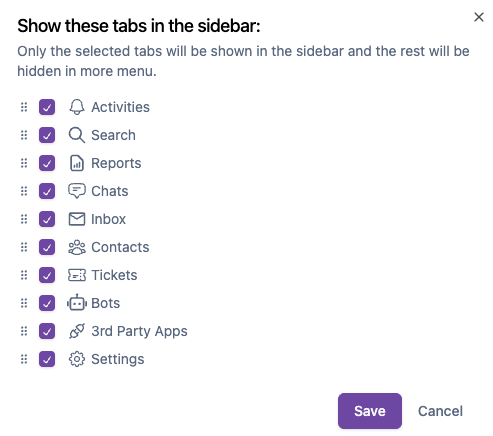
Choose visible menus
Select which menus you want to display in the sidebar so you can focus only on the features you use most often. Menus that are not selected for display will be grouped under the More menu. This keeps your sidebar minimal while still allowing access to all features when needed.
Reorder menu items
Drag and arrange menu items to match your workflow. You can place frequently used menus at the top for quicker access.
