

Send Finalizing Form
The Send Finalizing Form tool allows your bot to send a Finalizing Form to the customer when it determines the conversation is ready to be finalized. The form asks the customer whether their issue has been resolved and pauses the conversation until they choose to close it or continue chatting.
This lets the bot handle the full conversation lifecycle, from the first message to resolution confirmation, without an agent having to send the form manually.
You can navigate to Bots → Select your bot → Tools → Preset → Send Finalizing Form
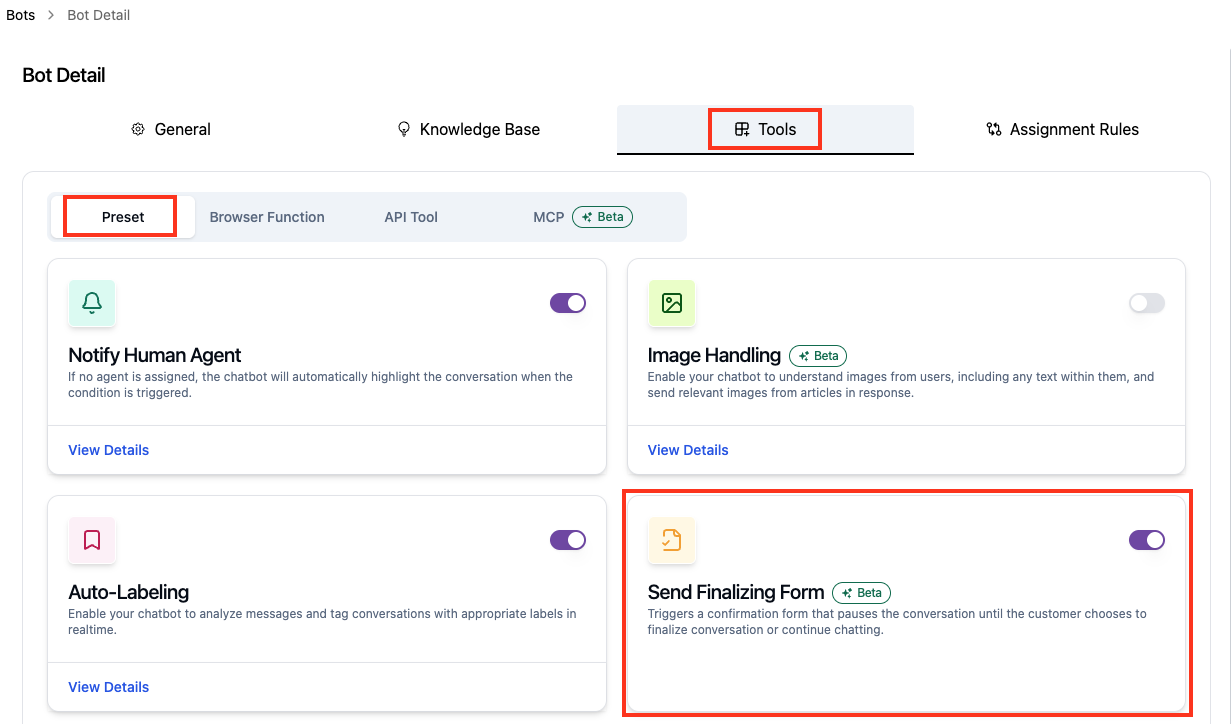
Enabling the Tool
Turn on the Send Finalizing Form toggle. No further configuration is needed. Once enabled, the bot decides when to send the form based on the conversation, for example when the customer thanks the bot or says they have what they need.
How It Looks in Conversation
When the bot determines the conversation is ready to be finalized, it sends the form to the customer's chat widget:
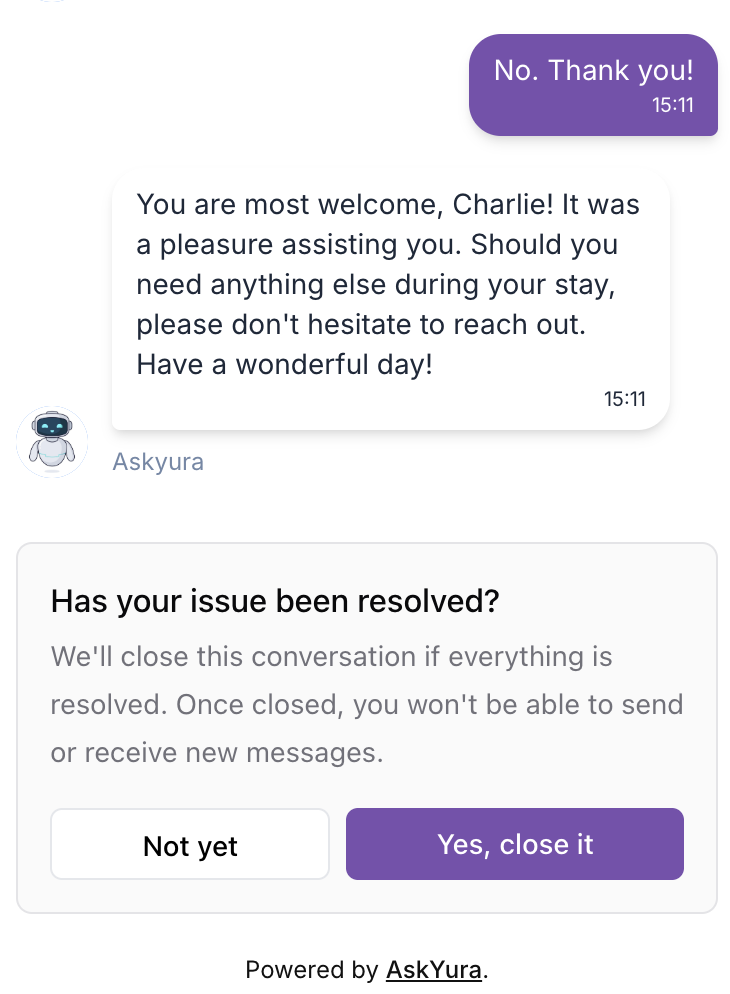
The customer can then choose one of two options:
- Yes, close it: the conversation is closed. The customer can no longer send or receive messages in it.
- Not yet: the conversation stays open. When the customer sends another message, the bot continues replying as usual.
You can change the wording of the form, including the title, message, and button labels, in your Web Widget settings. See Configuring the Form.
Best Practices
- Customize the form wording so it matches your brand's tone before enabling the tool
- Review conversations after enabling the tool to check that the bot sends the form at the right moment, not while the customer still needs help
